WhatsApp Number Filter & WhatsApp Number Generator Software
WhatsApp Number Filter Software is a desktop application
designed to generate phone numbers and filter or validate whether the
numbers are available on WhatsApp through the supported browser-based
workflow.
The software can be used as a WhatsApp Number Checker,
WhatsApp Number Validator and
Bulk WhatsApp Number Filter. You can generate phone
numbers based on a country code or import an existing list of phone
numbers and process them in bulk.
After processing, available WhatsApp numbers can be exported into
Excel or CSV format for further data organization and
analysis.
What Is WhatsApp Number Generator and Filter Software?
WhatsApp Number Generator and Filter Pro Software is
designed to help users generate phone-number lists and check the
availability of those numbers on WhatsApp using the software's
supported browser workflow.
You can either generate numbers automatically using the built-in
WhatsApp Number Generator or import your own phone
number list and use the WhatsApp Number Filter to
process the numbers.
WhatsApp Number Filter Features
-
WhatsApp Number Generator:
Generate phone numbers based on country code, starting number and
required quantity.
-
Bulk WhatsApp Number Filter:
Import a list of phone numbers and process the numbers in bulk.
-
WhatsApp Number Checker:
Check phone numbers through the supported WhatsApp browser workflow.
-
WhatsApp Number Validator:
Process an existing phone-number list and identify numbers that are
available through the supported WhatsApp workflow.
-
Excel Export:
Export processed WhatsApp number results to Excel.
-
CSV Export:
Save processed WhatsApp number results in CSV format.
-
Country Code Support:
Enter the country code for the phone numbers you want to generate.
-
Configurable Delay:
Set the delay used while processing phone numbers.
WhatsApp Number Generator
The built-in WhatsApp Number Generator allows you to
generate a list of phone numbers based on your selected country code,
starting mobile number and required quantity.
For example, for India you can enter the country code
+91, enter a starting mobile number and specify how
many numbers you want to generate.
The generated numbers are displayed inside the software and can then
be processed using the WhatsApp Number Filter feature.
Installation Process
-
You will receive the software after purchase.
Source code is not included with the product.
-
After purchasing the product, please email your license purchase
code to
bhansalisoft781986@gmail.com
for license registration.
Getting Started With WhatsApp Number Filter
After your license has been registered, start the software. The main
WhatsApp Number Generator and Filter interface will appear as shown
below.
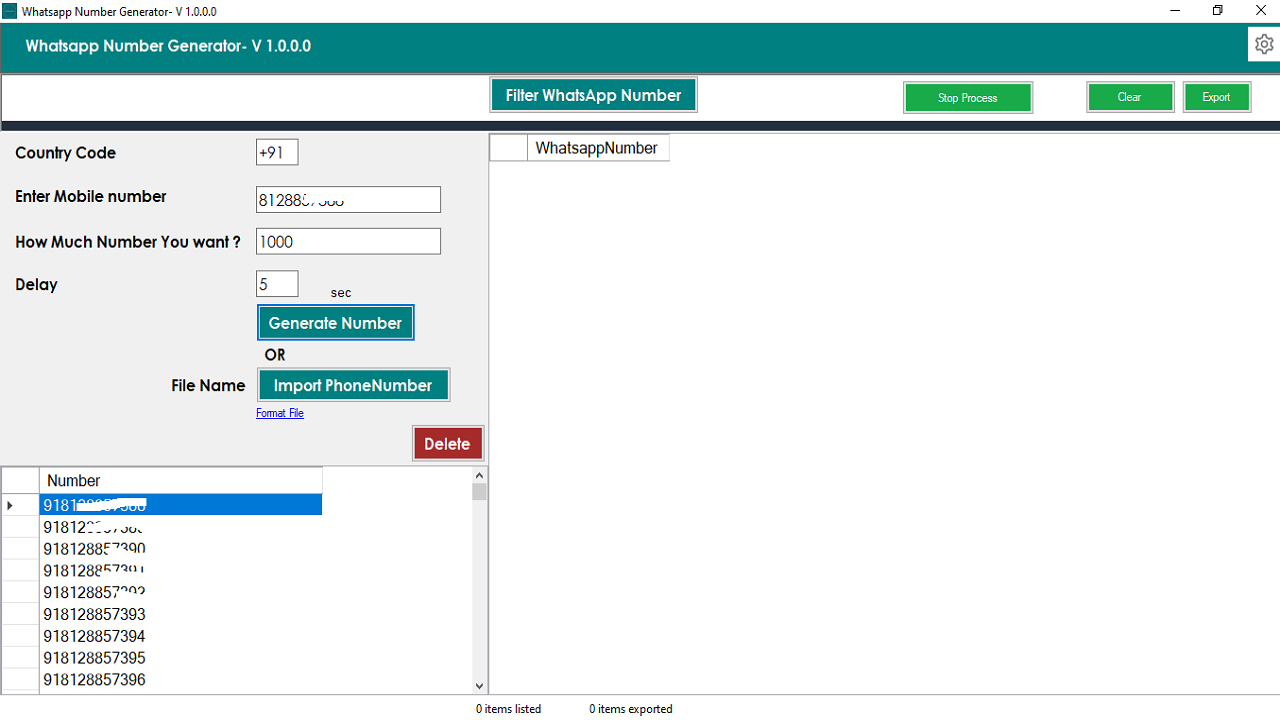 WhatsApp Number Filter software main screen
WhatsApp Number Generator Process
The software provides several fields for generating a phone-number
list.
Country Code
Enter the country code for the numbers you want to generate.
For example, the country code for India is +91.
Mobile Number
Enter the starting mobile number according to the selected country
and number format.
Number Count
Enter the number of phone numbers you want the software to generate.
Delay
Configure the processing delay used while checking numbers through
the supported WhatsApp workflow.
Generate Numbers
Click the Generate Number button. The software will
generate the requested phone-number list and display the numbers in
the application.
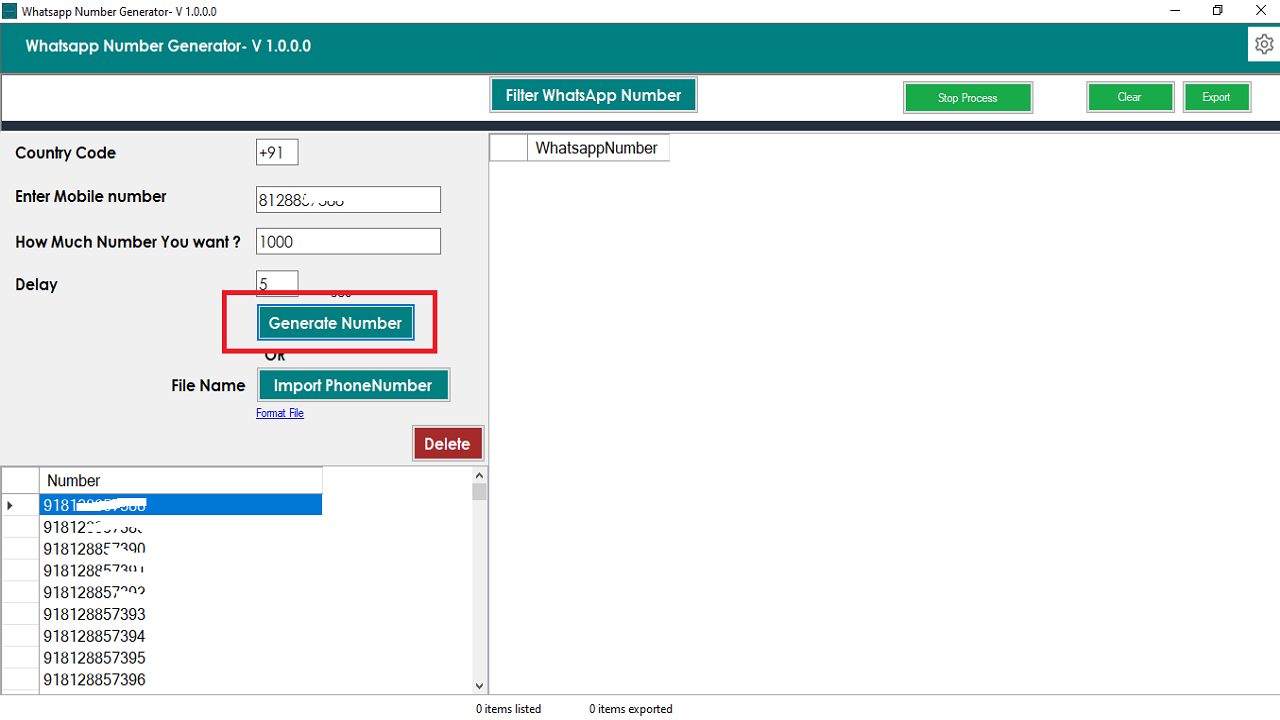 WhatsApp Number Generator showing generated phone numbers
How to Filter WhatsApp Numbers
After generating your phone-number list, click the
Filter WhatsApp Number button to start processing
the numbers through the supported WhatsApp browser workflow.
The software uses a browser-based WhatsApp workflow. You will need to
log in to WhatsApp through the browser when requested by the
application.
Numbers that are identified as available through the supported
workflow are displayed in the results table. You can then export the
resulting data to Excel or CSV.
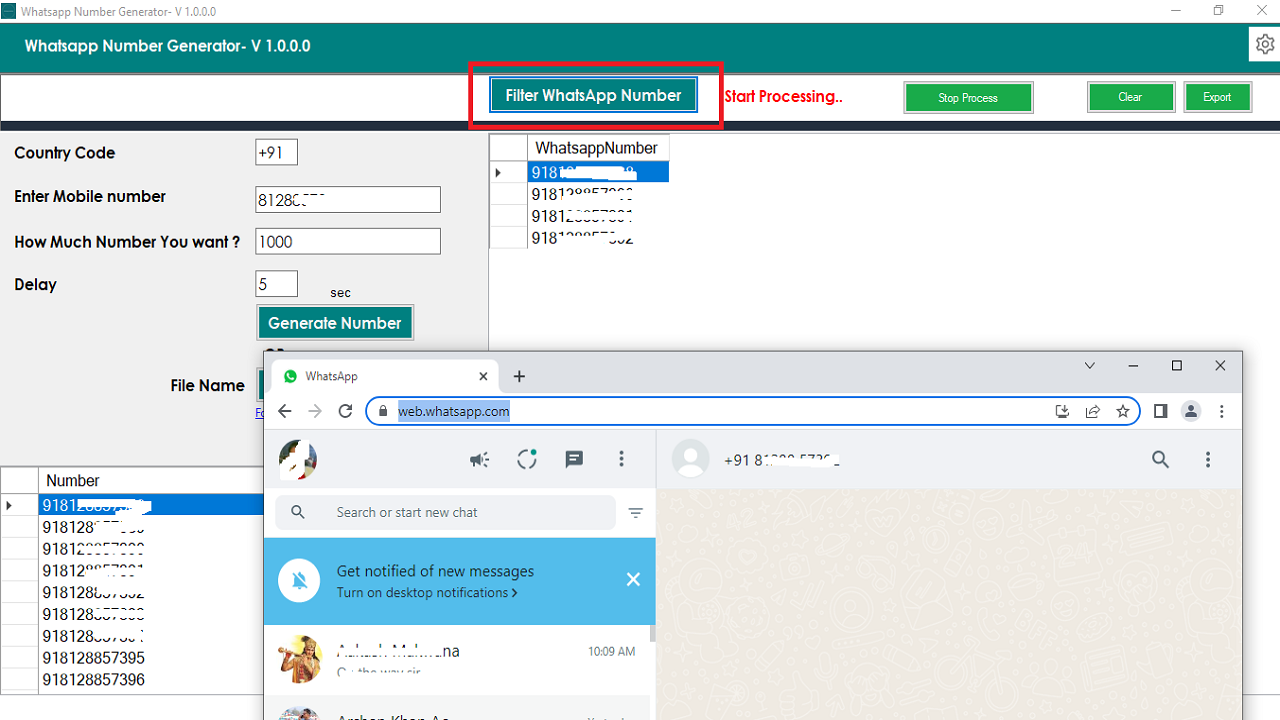 WhatsApp Number Filter results
Bulk WhatsApp Number Filter
If you already have a list of phone numbers, you can use the
Bulk WhatsApp Number Filter feature instead of
generating new numbers.
Import your existing phone-number list into the software and process
the numbers using the WhatsApp filtering workflow.
Import Phone Number List
The software allows you to import a text file containing your phone
numbers. Use the Format File link inside the software
to check the required file format before importing your data.
Import Phone Numbers
Click the Import PhoneNumber button and select your
phone-number text file. The imported numbers will then be displayed
inside the software.
Filter Imported Numbers
Click the Filter WhatsApp Number button to start
processing the imported numbers through the supported WhatsApp
browser workflow.
After processing, the available results are displayed in the software
and can be exported to Excel or CSV.
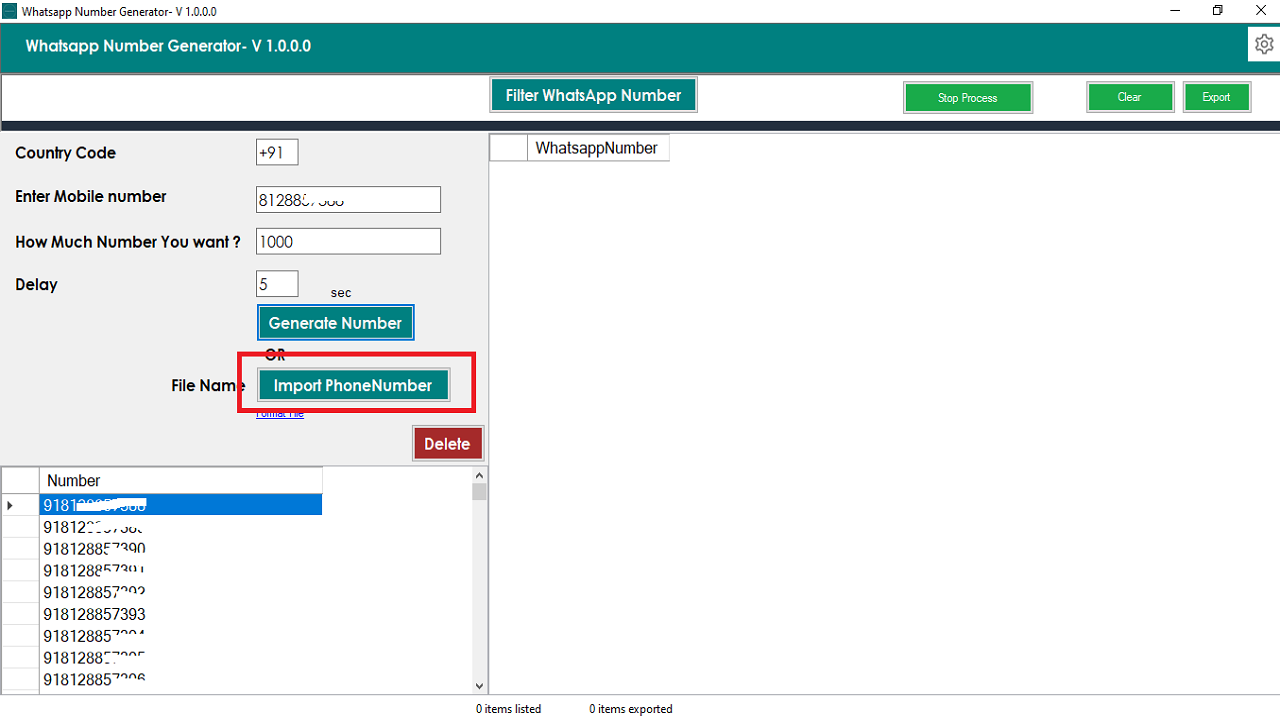 Bulk WhatsApp Number Filter with imported phone numbers
WhatsApp Number Checker
The software can also be used as a
WhatsApp Number Checker for processing an existing
phone-number list.
Instead of manually checking individual numbers, you can import your
phone-number list into the application and process the numbers using
the available WhatsApp filtering workflow.
WhatsApp Number Validator
The WhatsApp Number Validator functionality allows
you to process a phone-number dataset and identify numbers that are
available through the supported WhatsApp workflow.
This can be useful for organizing phone-number lists and separating
processed results for further analysis or authorized communication
workflows.
Export WhatsApp Numbers to Excel and CSV
After the filtering process is complete, you can export the results
into commonly used data formats.
Exporting the results makes it easier to organize, review and analyze
the processed phone-number dataset.
WhatsApp Number Filter Software Workflow
The complete workflow can be summarized as:
- Generate phone numbers or import an existing list.
- Configure the required processing options.
- Start the WhatsApp Number Filter.
- Authenticate through the supported browser-based WhatsApp workflow.
- Process the phone-number list.
- Review the resulting information.
- Export results to Excel or CSV.
Support Policy
-
Support is provided through the seller's profile contact form
on CodeCanyon.
-
Standard product support does not include customization.
-
Customization requests can be discussed separately and may
require an additional development charge.
-
A single license supports one domain according to the product
license terms.
Contact Us
For product support and license-related questions, you can contact us
by email:
bhansalisoft781986@gmail.com
Frequently Asked Questions
What is a WhatsApp Number Filter?
A WhatsApp Number Filter is software that processes phone numbers
through a supported WhatsApp workflow to identify numbers that are
available through that workflow.
Can I generate WhatsApp numbers?
Yes. The software includes a WhatsApp Number Generator that can
generate phone numbers based on country code, starting number and
requested quantity.
Can I import my own phone-number list?
Yes. You can import a phone-number list from a text file and process
the numbers using the Bulk WhatsApp Number Filter feature.
Can I export WhatsApp number results?
Yes. The software supports exporting processed results to
Excel and CSV formats.
Does the software support multiple countries?
The number generator allows you to specify a country code when
generating phone numbers.
Is this a WhatsApp Number Checker?
Yes. The software provides functionality for processing phone
numbers through its supported WhatsApp browser workflow, making it
suitable for WhatsApp number checking and validation workflows.
WhatsApp Number Generator and Filter
If you are looking for a WhatsApp Number Filter,
WhatsApp Number Checker,
WhatsApp Number Validator,
Bulk WhatsApp Number Filter or
WhatsApp Number Generator, this desktop software
combines number generation, phone-number import, WhatsApp filtering
and Excel/CSV export in one application.
The software provides a convenient workflow for generating or
importing phone numbers, processing them through the supported
WhatsApp workflow and organizing the resulting data.
Responsible Use:
Use this software only for lawful and authorized data processing.
Ensure that your phone-number collection, validation and subsequent
communication comply with applicable privacy laws, data-protection
requirements and WhatsApp's current terms and policies.