LinkedIn Group Member Scraper - Windows Software
LinkedIn Group Member Scraper is Windows-based software that helps you search for LinkedIn groups using keywords and extract available member information from groups you can access. Instead of manually searching for groups and copying member information one by one, the software provides a simple workflow to find relevant LinkedIn groups, collect group members, and export the results into Excel, CSV, or Text files.
This LinkedIn Group Scraper is designed for lead generation, recruiting research, market research, audience research, professional community analysis, and other legitimate business research activities. You can search LinkedIn groups by keyword, review the groups found by the software, and use the Get Member option to collect available member information from a specific group.
What Is a LinkedIn Group Member Scraper?
A LinkedIn Group Member Scraper is a software tool that helps users collect available information from LinkedIn groups. The BhansaliSoft Windows application combines LinkedIn group search and LinkedIn group member extraction in one application.
Enter a keyword related to the type of LinkedIn community you are researching. The software searches for relevant LinkedIn groups and displays the available group information. You can then select a group and use the Get Member option to extract available group member data. The collected results can be exported into multiple formats for further analysis.
LinkedIn Group Scraper Features
- Search LinkedIn Groups by Keyword - Find relevant LinkedIn groups using a keyword or topic.
- Extract LinkedIn Group Members - Collect available member information from an accessible LinkedIn group.
- Process Up to 10,000 Members - The software supports extraction of up to 10,000 group members, depending on the accessible group data and LinkedIn limitations.
- Export LinkedIn Data - Save collected data in Excel, CSV, or Text format.
- Group-by-Group Extraction - Select a discovered group and use the Get Member option to process its members.
- Multiple Export Formats - Choose Excel, CSV, or Text according to your workflow.
- VPN Configuration - Configure available VPN settings through the software settings.
- Multi-Language Support - The software supports multiple interface languages.
- Windows Desktop Application - Run the LinkedIn scraper directly from your Windows computer.
Search LinkedIn Groups by Keyword
Finding relevant LinkedIn communities manually can take considerable time. With the LinkedIn Group Scraper, you can enter a keyword describing the type of group you want to find and start the search process.
For example, you can search using topics related to your target industry, profession, business niche, technology, location, or professional interest. The software displays matching LinkedIn groups so you can identify communities relevant to your research.
Extract LinkedIn Group Members
After finding a relevant LinkedIn group, you can use the Get Member button to start collecting available group member information. The selected LinkedIn group must be accessible to your LinkedIn account, and you should join the group when membership is required to access its member page.
The software is designed to make LinkedIn group member research easier by combining group discovery and member extraction in one Windows application.
Export LinkedIn Group Members to Excel, CSV and TXT
After collecting the available LinkedIn group member information, you can export the results into multiple formats. The software supports:
- Excel - Useful for spreadsheet-based analysis and data management.
- CSV - Suitable for spreadsheets, databases, CRM systems, and other applications.
- Text - Useful when you need a simple text-based export.
The ability to export LinkedIn group data in multiple formats makes the software suitable for different research and business workflows.
Who Can Use LinkedIn Group Member Scraper?
The software can be useful for sales professionals, recruiters, marketers, lead generation agencies, researchers, business owners, consultants, and entrepreneurs who need to research LinkedIn professional communities.
Common use cases include LinkedIn group research, professional audience analysis, recruitment research, market research, competitor research, industry research, and organizing group member datasets for further analysis.
Project Requirements
- Windows operating system.
- Required .NET Framework/runtime for the application.
- Latest version of Google Chrome.
- A LinkedIn account with access to the groups you want to research.
Installation Process
You will receive the compiled software application. Source code is not included.
- Confirm your purchase/license information.
- Unzip the downloaded software package.
- Run LinkedinScrapper.exe.
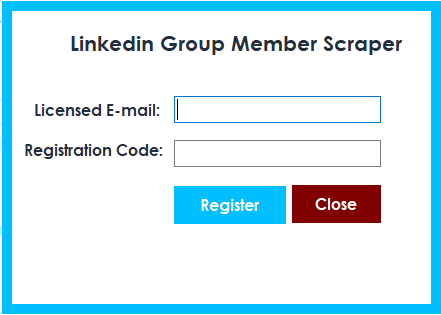
- Enter your registered email address.
- Enter your purchase code as the registration code.
- Complete registration and start using the software.
How to Scrape LinkedIn Group Members
Step 1: Start the LinkedIn Scraper
After successfully registering your license, start the software. The main application screen provides access to LinkedIn group search and member extraction features.
Step 2: Search LinkedIn Groups
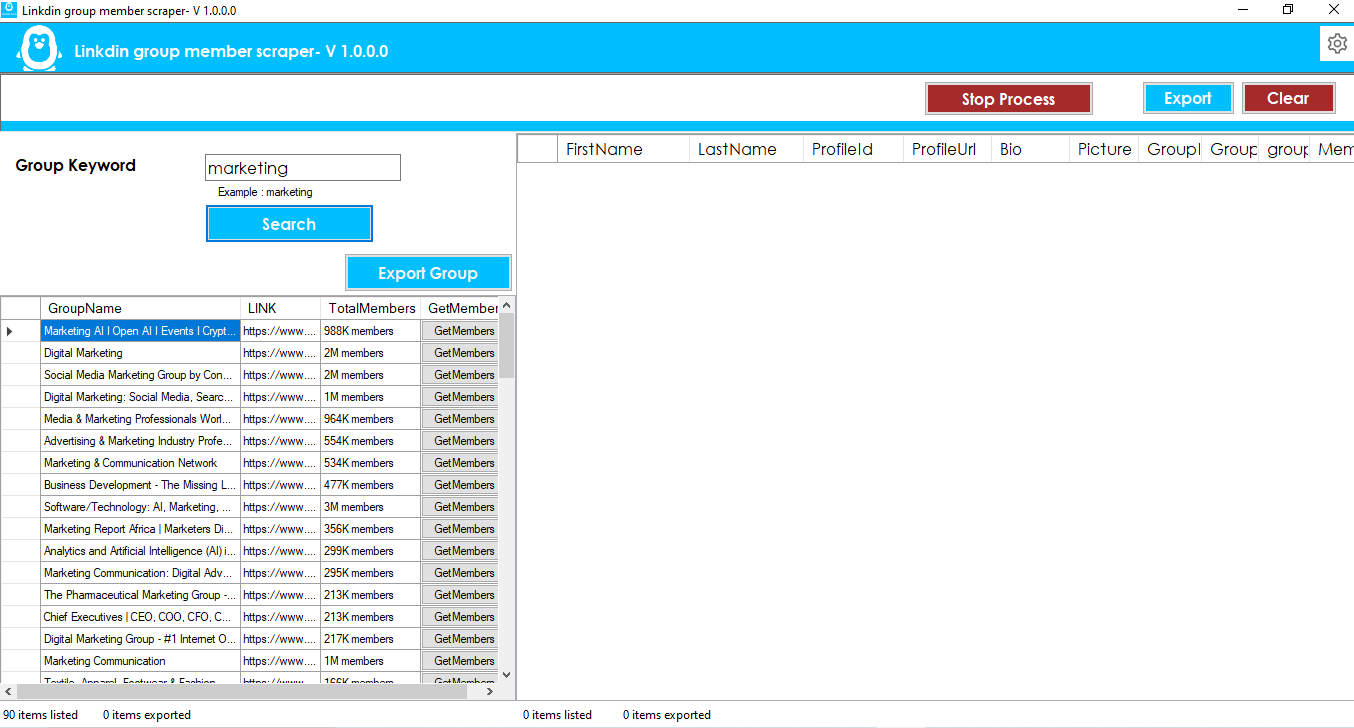
Enter a Group Keyword describing the type of LinkedIn group you want to find. Click the Search button to begin searching for relevant groups. The software may open Chrome and require you to log in to your LinkedIn account.
Step 3: Export LinkedIn Group Data
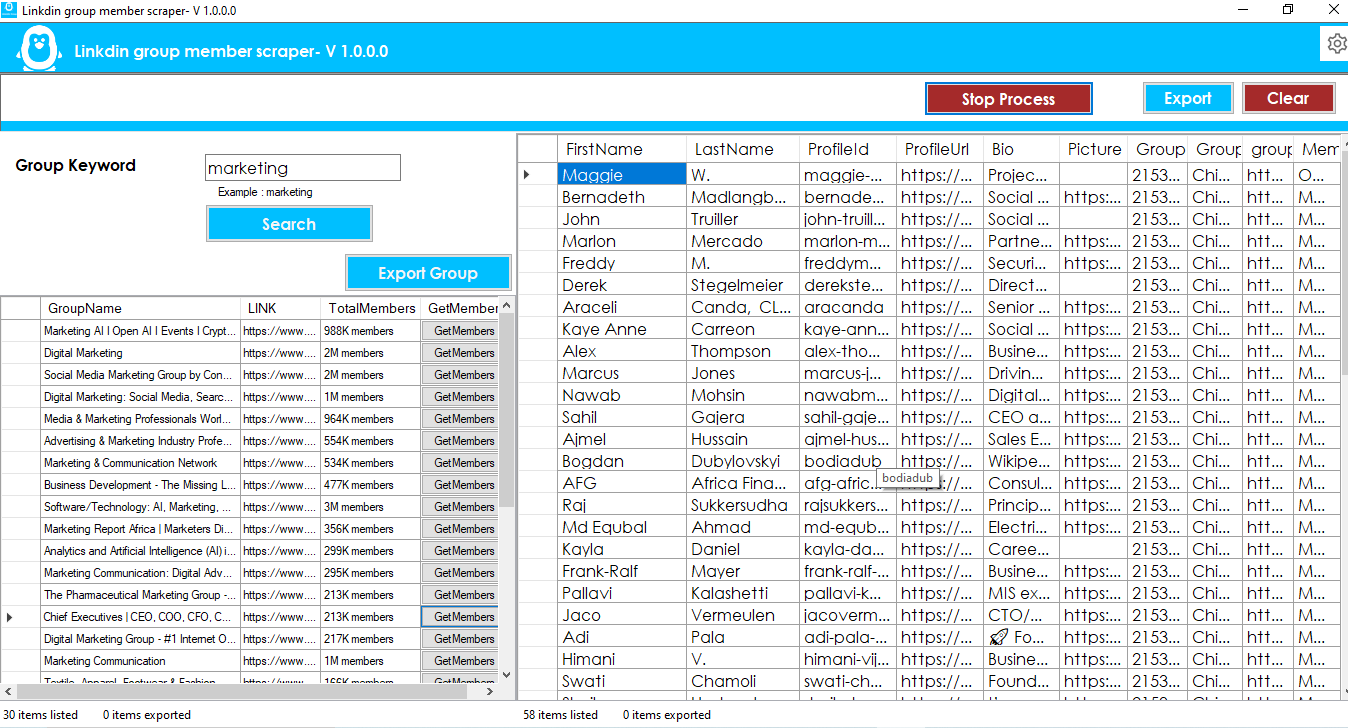
After groups are found, you can export the available group information in Excel, CSV, or Text format.
Step 4: Get LinkedIn Group Members
Each discovered group provides a Get Member option. Click the button to start collecting available member information from the selected LinkedIn group.
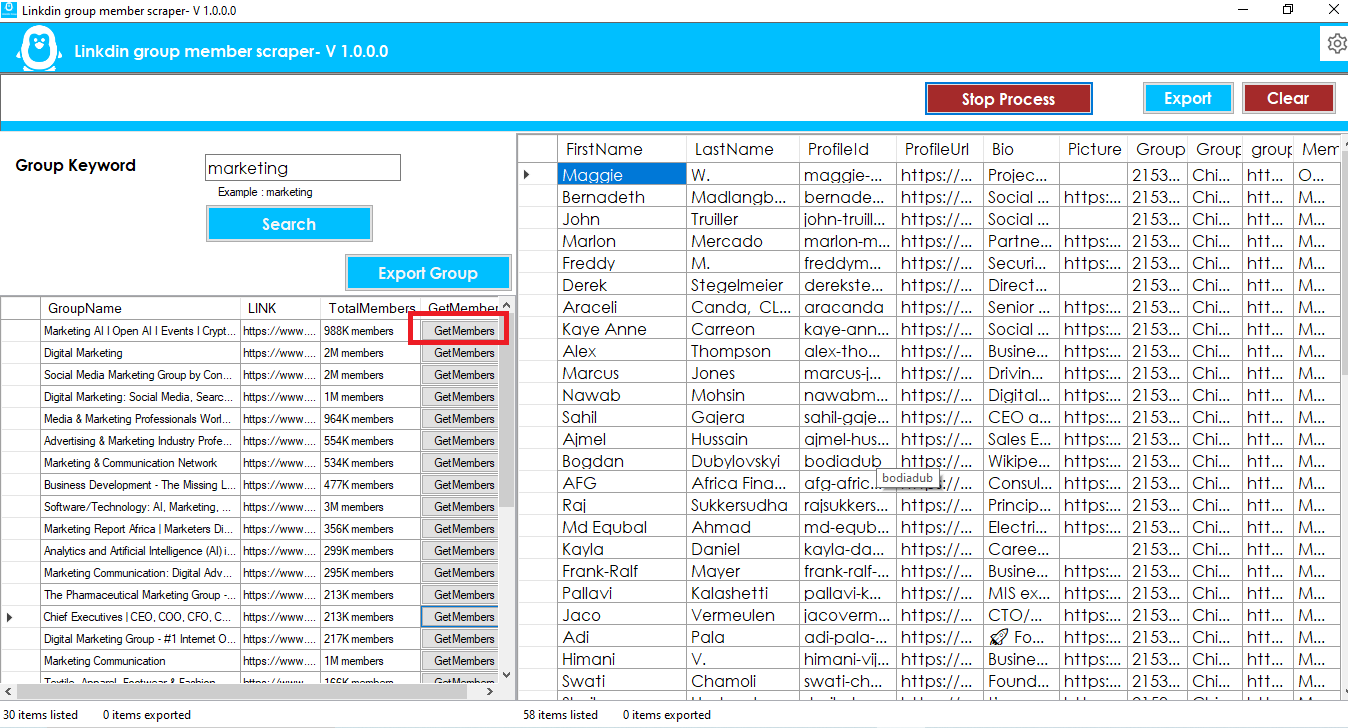
The LinkedIn group must be accessible to your account. If membership is required to view the group's members, you must join the group before attempting to extract member information.
Step 5: Export Group Member Data
After the member extraction process is complete, export the collected results using your preferred format: Excel, CSV, or Text.
VPN and Export Settings
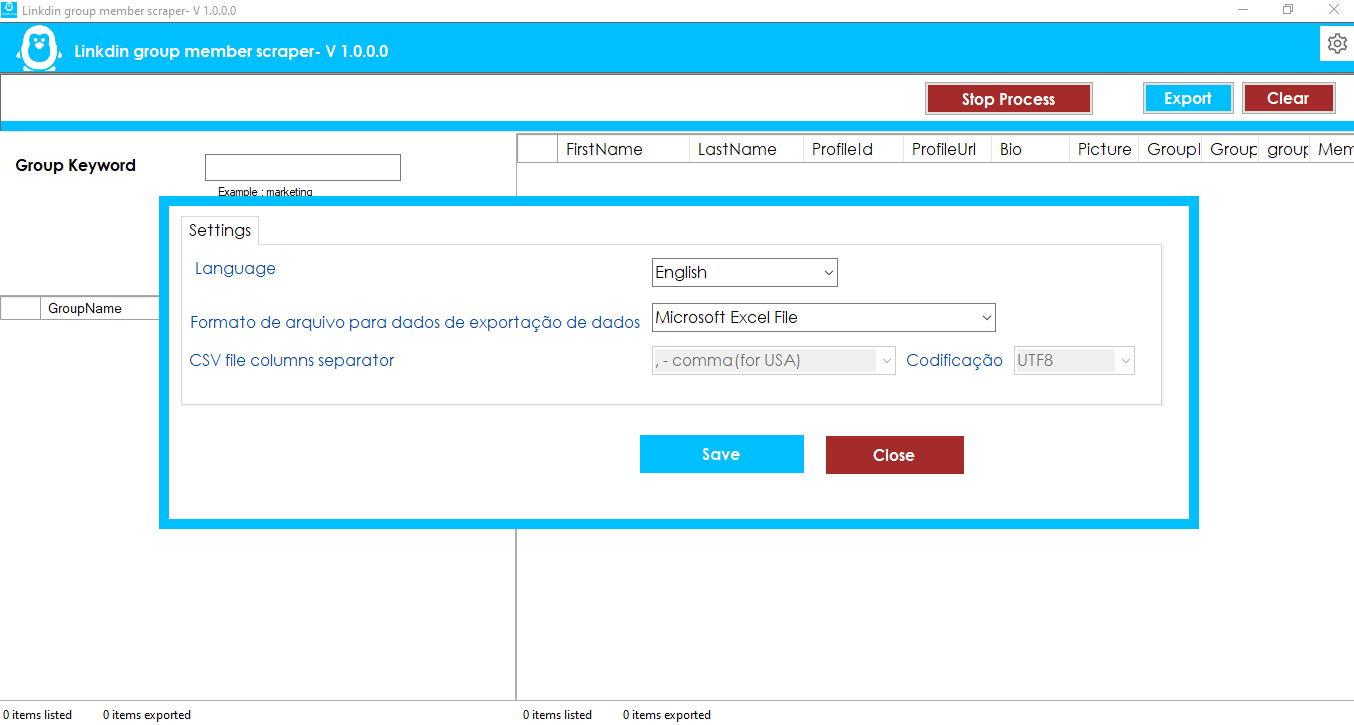
Open the Settings icon from the top bar to configure available software settings. Depending on your setup, you can configure VPN options and select your preferred export format.
The application also provides multi-language support, allowing you to select a preferred interface language.
Frequently Asked Questions
What is a LinkedIn Group Member Scraper?
A LinkedIn Group Member Scraper is software that helps collect available member information from accessible LinkedIn groups. This Windows software also provides keyword-based LinkedIn group search and multiple export options.
Can I search LinkedIn groups by keyword?
Yes. The software allows you to enter a group keyword and search for relevant LinkedIn groups before selecting a group for member extraction.
Can I export LinkedIn group members to CSV?
Yes. Collected LinkedIn group member information can be exported in CSV format. Excel and Text export formats are also supported.
How many LinkedIn group members can the software extract?
The software supports extraction of up to 10,000 group members, subject to the available group data, account access, LinkedIn behavior, and other technical limitations.
Do I need to join a LinkedIn group?
You need appropriate access to the LinkedIn group members page. If LinkedIn requires membership to view the group members, you must join the group before extracting available member information.
Does the software include source code?
No. The purchase includes the compiled Windows software. Source code is not included.
Responsible Use
Use the LinkedIn Group Member Scraper responsibly and only collect information that you are authorized to access. Follow LinkedIn's terms, policies, and applicable privacy and data-protection laws when collecting, storing, analyzing, or using LinkedIn data.
Support Policy
- Standard product support is provided according to the applicable license terms.
- Standard support does not include custom software development or customization.
- Customization requests may be available for an additional cost.
- License support is provided according to the purchased license terms.
Contact BhansaliSoft
For installation, registration, or product support, contact BhansaliSoft by email:
bhansalisoft781986@gmail.com
LinkedIn Group Member Scraper provides a practical Windows-based workflow to find LinkedIn groups by keyword, extract available group members, and export LinkedIn group data to Excel, CSV, or Text files.